MockBot
Ever wanted to mock your friends?
The MockBot is here to help you.
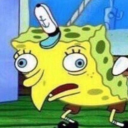
Simply right-click a message of your friend and hit "mock_message" or invoke the appropriate slash command. The bot will do it's job and replace the original message with an image of SpongeBob mocking what your friend just said.
You can aswell try to right-click a user or use /help.
About MockBot
This is the MockBot for discord. This bot allows you to mock other users, by transform their messages into the SpongeBob meme. In contrast to other solutions, this bot uses the correct image for the meme. It does NOT only send plain text when using the commands. You can not only use boring slash commands, to mock the last message in chat or a specific user. No, you can aswell right-click any given chat message or a given user to open the context menu. The bot will offer if's features through that menu aswell. ---- ##Automock If you add a user to the `Automock`-List, all of his messages will immediately be mocked by this bot. --- ##Commands |Commands|| |---|---| |```mock last``` | take the last message and create the spongebob mocking meme | |```mock userTags
MockBot Bot Command List
Some popular commands for the MockBot Discord Bot, you can see a full list by doing /help in Discord.
/help
Show the help page for this bot
/mock
Mock other users
MockBot Bot FAQ
Frequently asked questions about the MockBot Discord Bot are answered here.
What is the MockBot Discord bot invite?
The Discord bot invite for MockBot is: https://discord.com/oauth2/authorize?client_id=734829435844558999&permissions=8&scope=bot%20applications.commands
Is the MockBot Discord bot offline??
The MockBot Discord bot was last reported as being online, if you continue to experience issues please join their support server for help.
What is the MockBot bot ID?
The bot id for MockBot is 734829435844558999